


Every field service software vendor promises to save time and grow revenue. Some deliver; some become another monthly charge that nobody fully uses. Before you sign up, it is worth estimating the return for your own business, with your own numbers, in the same way you would judge a new truck or a new hire. This guide shows how to do it without guesswork dressed up as precision.
Step 1: Count every cost
The subscription price is only the start. A realistic first-year cost includes:
- Subscription: the price per user or per plan, for every person who needs access.
- Add-ons: features sold separately, such as text messaging, online booking, advanced reporting or integrations.
- Payment processing: fees on card payments taken through the software, if you use them.
- Setup: any onboarding fee, plus the hours spent importing customers, price books and equipment.
- Training: the paid hours your office staff and technicians spend learning the system.
In our example, the subscription is $245 a month for five users, setup is $500 and training takes 20 staff hours at $40 an hour. The upfront cost is $500 + $800 = $1,300.
Step 2: Count gains you can actually measure

Be careful with each one. Time saved is only worth money if it turns into more jobs, fewer paid hours, or faster cash. Extra jobs only appear if you are turning work away today. Use gross profit per job, not the job price, because each extra job has its own costs.
In the example, the business expects six extra jobs a month at $180 of gross profit each, plus $200 a month of invoices that previously slipped through. That is $1,280 a month of gain.
Step 3: Work out the payback period
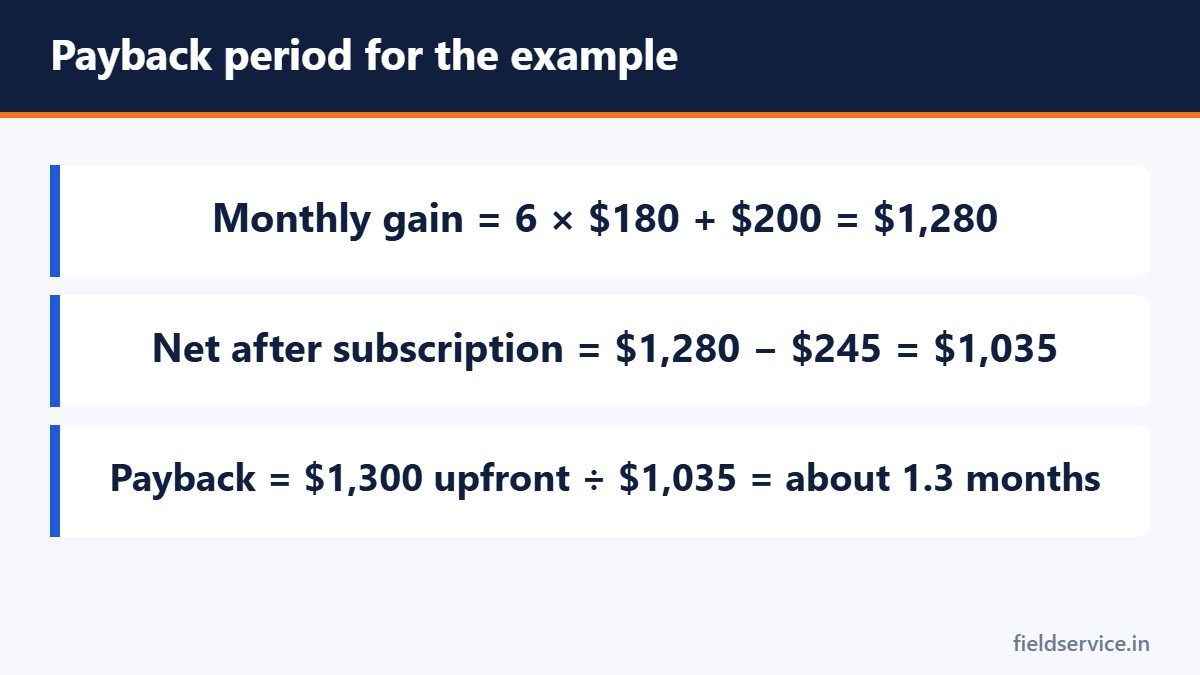
A short payback period gives you room for error. If the gains turn out half as large as expected, the software still pays back within a few months. If the estimate only works with optimistic numbers, think harder before buying.
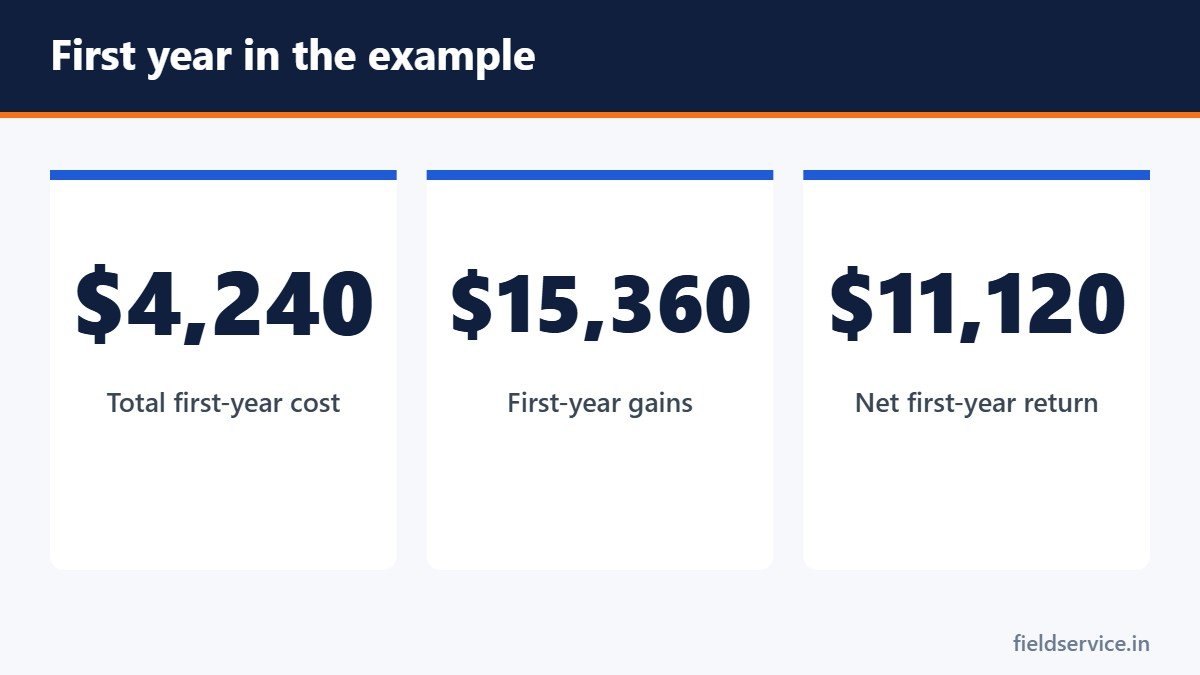
Try your own figures in the software payback calculator. If your main question is the time cost of paperwork, the spreadsheet vs software cost calculator focuses on that.
Step 4: Test the downside
Run the numbers again with cautious assumptions: half the extra jobs, no recovered invoices, twice the training time. Ask what happens if only half the team uses the software properly. A purchase that still makes sense in the cautious case is a safe one.
| Scenario | Monthly gain | Net monthly | Payback |
|---|---|---|---|
| Expected | $1,280 | $1,035 | 1.3 months |
| Cautious: 3 extra jobs, no recovered invoices | $540 | $295 | 4.4 months |
| Poor adoption: 1 extra job | $180 | −$65 | Never |
The last row is the real risk. Software that nobody uses properly costs money every month. Adoption matters more than features.
Step 5: Check after launch
- Record your current numbers before you start: jobs per week, days from job to invoice, office hours, callbacks.
- Review the same numbers after 90 days using the software’s own reports.
- Ask technicians what still slows them down.
- Turn off add-ons you are not using.
What makes software pay off
- One person in the office owns the setup and keeps data clean.
- Technicians are trained on the phone app before go-live, not after.
- Price books and job templates are set up properly from the start.
- The old process is switched off, so there is only one system.
For the selection process, see choosing field service software and spreadsheet vs field service software.
Related guides
- Digital service reports
- GPS fleet tracking for service businesses
- Texting customers in a service business
Three Excel workbooks that take you from what a technician costs to what to charge, then show whether each job made money.
Not sure yet? Try two forms free or see all packs.
Free Software Switching Kit: a selection scorecard in Excel and a six-week switching checklist.
Frequently asked questions
How do I calculate ROI on field service software?
Add up the monthly gains you can measure, such as extra jobs at their gross profit and recovered invoices, subtract the monthly subscription, and compare the result with the upfront setup and training cost.
What costs are often missed when buying software?
Add-ons, payment processing fees, setup and data import time, and the paid hours staff spend learning the system.
What is a good payback period for field service software?
Many owners look for payback within the first year. A shorter payback period leaves more room for estimates that turn out too optimistic.
Why does some field service software fail to pay off?
Most often because the team does not use it consistently, so the old process continues alongside the new one and the expected gains never appear.
Figures in this article are examples. Software prices and features change; check current details with each vendor.