

Pest control looks like other field service work from a distance: customers, technicians, trucks and invoices. Up close it is different. Most of the work is recurring, routes matter more than one-off scheduling, and many states require detailed records of every pesticide application. General field service software can handle part of this, but small pest control businesses often find that the details that matter most to them are missing. This guide covers what to look for and how pricing typically works.
What makes pest control different
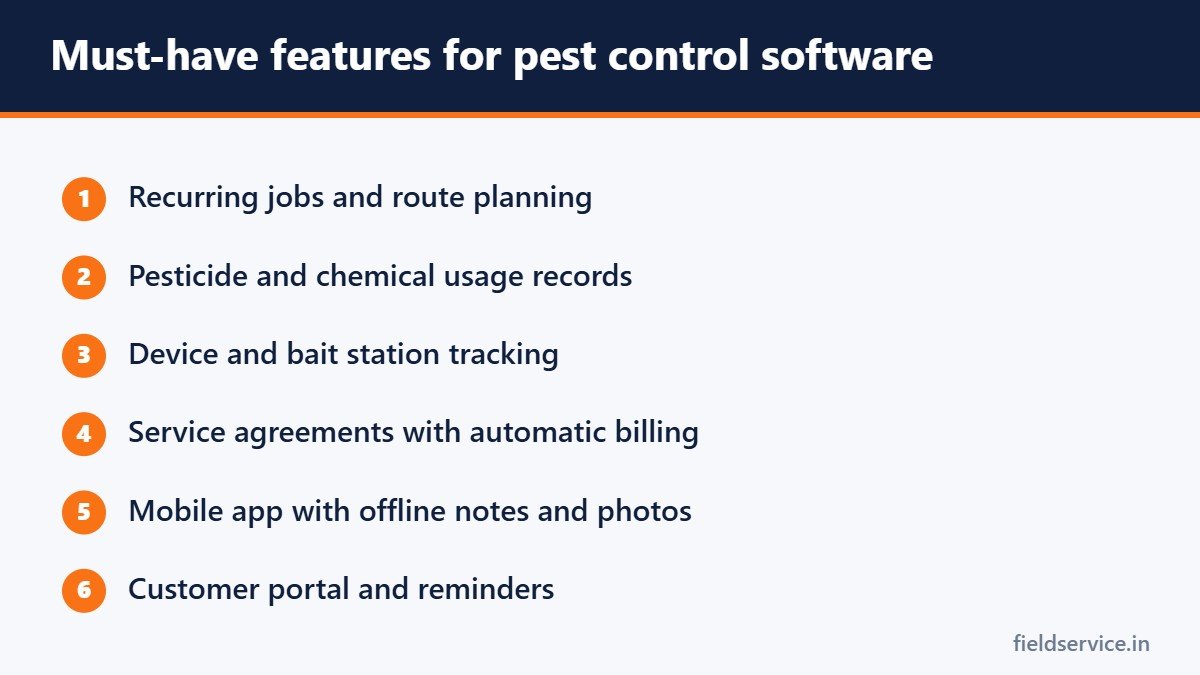
- Recurring service: most revenue comes from monthly, bi-monthly or quarterly visits that repeat automatically.
- Routes: technicians visit many properties a day in a planned order, so routing affects profit directly.
- Chemical records: many states require licensed businesses to record what was applied, where, how much and by whom.
- Devices: bait stations, traps and monitors need to be checked and recorded at each visit.
- Agreements and autopay: service plans usually renew automatically and are billed on a schedule.
Features to look for
Chemical and pesticide usage records
Many states require licensed pest control businesses to keep records of pesticide applications, and the details required differ from state to state. Check the rules with your state’s pesticide regulatory agency, which is often the department of agriculture. Good software records the product, the amount, the target pest and the location on each job, and lets you produce reports when you need them. GorillaDesk, for example, says its software records chemical usage per job and exports the history for reporting.
Device and bait station tracking
Commercial accounts often have dozens of stations. Barcode or QR scanning on the phone app speeds up each visit and creates a record of what was checked and found. Ask how devices are set up, how findings are recorded and what the customer sees in their report.
Recurring billing
Look for automatic invoicing on each visit or on a fixed schedule, card on file, and automatic retries for failed payments. Billing problems are one of the biggest hidden costs in recurring service. Our guide to maintenance agreements covers the business side.
How pest control software is priced
| Pricing model | How it works | Example (checked October 15, 2026) |
|---|---|---|
| Per route or schedule | You pay for each technician route | GorillaDesk: Basic $49 and Pro $99 a month for one schedule |
| By customer count | Price grows with active customers | FieldRoutes: quote only, priced on active customers; no free trial listed |
| Per user | General field service tools that charge by user | See our field service software pricing comparison |
Always confirm prices with the vendor, because they change. Ask what happens to your price as you add routes or customers, and whether chemical tracking and device tracking are included in the plan you are considering.
General field service software or a pest control specialist?
General tools such as Jobber and Housecall Pro handle scheduling, invoicing, payments and recurring jobs well. Before choosing one, check whether it can record chemical usage in the way your state requires and whether it tracks devices. If it cannot, you may end up keeping a separate paper log, which defeats much of the purpose. Specialist products are built around these needs but may be less flexible for other kinds of work.
Run the numbers
Before you buy, estimate the payback with the software payback calculator and compare it with your current paperwork time using the spreadsheet vs software cost calculator. Pest control businesses with steady recurring routes can often measure the gain clearly in fewer missed visits and faster billing.
Running a small service business? JobDock, our own field service software, puts scheduling, dispatch, estimates and invoices on your own website for one price, with no fee per technician. Try the live demo.
Related guides
Sources
Free Software Switching Kit: a selection scorecard in Excel and a six-week switching checklist.
Frequently asked questions
What is the best software for a small pest control business?
The best fit depends on your size, your state’s record-keeping rules and how much of your work is recurring. Look for recurring routes, chemical usage records, device tracking and automatic billing, then trial two or three products with real jobs.
Do pest control companies have to keep pesticide records?
Many states require licensed pest control businesses to record pesticide applications. The required details vary, so check with your state’s pesticide regulatory agency.
How much does pest control software cost?
It varies by pricing model. Some products charge per route, some by number of active customers and some per user. Published examples start around $49 a month for one route, while others require a quote.
Can I use general field service software for pest control?
Often, for scheduling and billing. Check whether it records chemical usage and tracks devices the way your business needs before you commit.
Product information was taken from vendors’ public websites on October 15, 2026 and may have changed. Fieldservice.in has no paid or affiliate relationship with the companies mentioned. This article is not legal advice about pesticide regulations.