


Housecall Pro and Jobber are two of the most common choices for small home service businesses in the United States. Both handle scheduling, estimates, invoices and payments. The biggest practical difference for a small shop is how each one charges as the team grows.
Prices checked October 15, 2026 on each vendor’s own pricing page. Vendors change prices and plans often, so confirm the current figures before you buy. Fieldservice.in has no paid or affiliate relationship with either company.
Disclosure: this article mentions JobDock, our own product, made by Gentlemans Digital Products. We earn money if you buy it. The other products are described from their own published information.
How each one is priced
Jobber prices by plan and by number of users. Housecall Pro prices by plan, and each plan includes a set number of users.
| Jobber | Housecall Pro | |
|---|---|---|
| Entry plan, 1 user, monthly billing | Core: $49 a month | Basic: $79 a month |
| Five users, monthly billing | Connect: $199 a month | Essentials: $189 a month |
| Higher plans for five users | Grow $299, Plus $499 a month | Max: $329 a month with 8 users |
| Extra users | $29 a month each | $35 a month each on Max |
| Annual billing example | Connect, 5 users: $149 a month | Essentials: $149 a month |
| Free trial | 14 days, no card required | 14 days, no card required |
What a growing team pays

For one person, Jobber’s entry plan is cheaper. At five people the two are close on their middle plans. At eight people, Housecall Pro Max includes all eight, while on Jobber you would add users to a five-user plan. Jobber’s pricing page listed extra users at $29 a month each, so Connect at $199 for five users plus three extra users comes to about $286 a month. These are list prices with monthly billing; your real price depends on the plan you need, annual billing and any offers at the time.
The plan you need matters more than the entry price. Both vendors put some automations, such as reminders, follow-ups and job costing, on higher plans. Write down the features you would actually use and price the plan that includes all of them.
Costs beyond the plan
- Card processing. Housecall Pro’s pricing page states card processing starts at 2.59 percent and bank payments carry a 1 percent fee. Check Jobber’s current payment rates on its site. On $300,000 a year of card payments, a difference of half a percent is $1,500.
- Add-ons. Jobber lists some tools as paid add-ons, including a marketing suite, an AI receptionist and a sales pipeline. Ask both vendors which features in their demo are add-ons.
- Annual prepayment. Jobber notes that annual plans are prepaid and the first payment is non-refundable. Trial first.
Which one fits which shop
- One person, simple needs: compare Jobber Core and Housecall Pro Basic feature by feature. Jobber Core has the lower published price.
- Two to five people: the middle plans are close in price, so choose on how the phone app feels to your technicians and how estimates look to your customers.
- Six to eight people: Housecall Pro Max includes eight users, which can be simpler to budget than adding users one by one.
How to run a fair trial
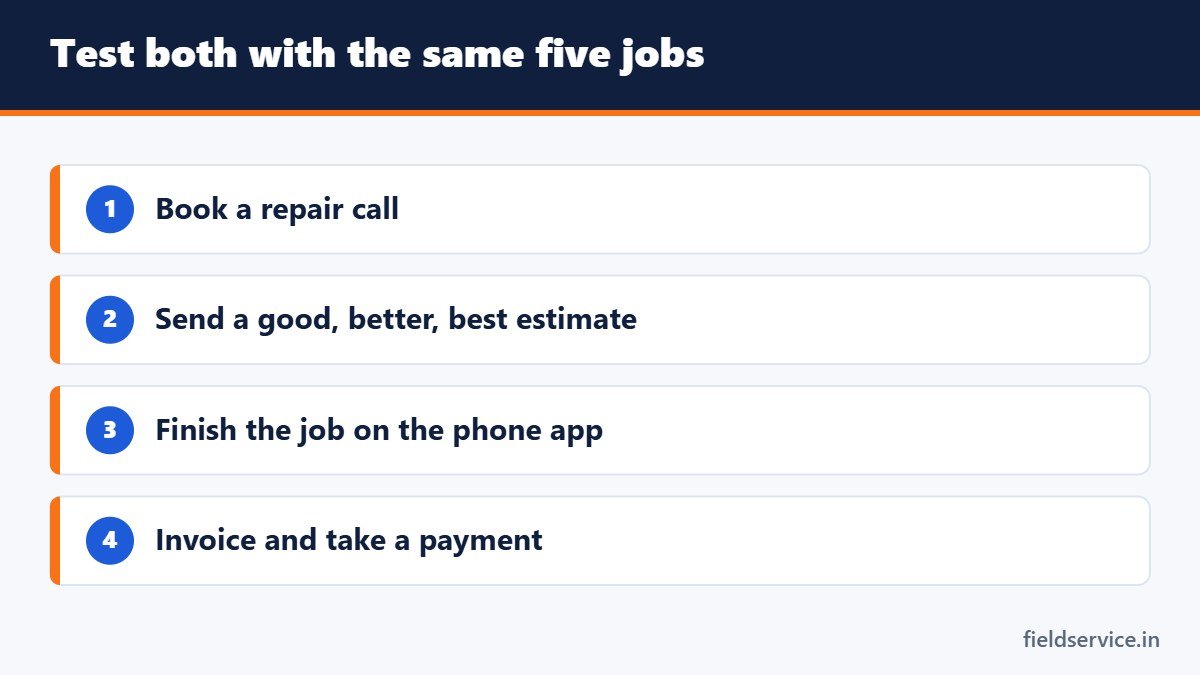
Both trials are 14 days with no card required, so run them side by side with the same real work:
- Book the same five jobs from last week in each product.
- Send one good, better, best estimate to your own phone and approve it as a customer would.
- Have a technician finish a job on the phone app, with photos and notes.
- Create an invoice and take a test payment.
- Export the customer list to CSV to see how easy it is to leave.
Running a small service business? JobDock, our own field service software, puts scheduling, dispatch, estimates and invoices on your own website for one price, with no fee per technician. Try the live demo.
Questions
Is Housecall Pro cheaper than Jobber?
For one user, Jobber’s published entry price is lower: $49 a month against $79 with monthly billing. For five users on the middle plans, Housecall Pro Essentials is $189 and Jobber Connect is $199. For eight users, Housecall Pro Max at $329 includes all eight.
Which is better for HVAC or plumbing?
Both are used by HVAC, plumbing and electrical shops. The better choice is the one whose plan covers your work, such as maintenance agreements, price books and equipment history, at a price you can carry. Test those features in the trial.
Can I move my data from one to the other?
Most shops move customers and open jobs with a CSV export and import. Check the export during your trial, and ask the new vendor whether they help with imports.
Do either of them charge per technician?
Jobber charges per user. Housecall Pro includes a set number of users in each plan and charges for extra users on Max. If a per-person cost is the problem, see our guide to field service software pricing compared.
Sources
Product names are trademarks of their owners. See also Jobber alternatives for a one-truck shop.
Free Software Switching Kit: a selection scorecard in Excel and a six-week switching checklist.