


If you run one truck, you are the technician, the dispatcher and the billing office. Jobber is a popular choice for small service businesses, but its plans are priced per user and the features many owners want, such as automated reminders and follow-ups, sit above the entry plan. This guide looks at the alternatives an owner-operator usually considers and what each would cost in the first year.
Prices checked October 15, 2026 on each vendor’s own pricing page. Vendors change prices and plans often, so confirm the current figures before you buy. Fieldservice.in has no paid or affiliate relationship with Jobber, Housecall Pro, Workiz or GorillaDesk.
Disclosure: this article mentions JobDock, our own product, made by Gentlemans Digital Products. We earn money if you buy it. The other products are described from their own published information.
What a one-truck shop actually needs
Before comparing products, write down what is going wrong today. For most owner-operators it is a short list:
- A schedule you can see on your phone, so nothing is double booked.
- Customer and equipment history by address, so you know what you did last time.
- Estimates and invoices you can send from the driveway, not at the kitchen table at night.
- A way to get paid quickly, by card or bank transfer.
- Appointment reminders, so customers are home when you arrive.
Dispatch boards, multi-crew scheduling and marketing suites matter less when there is one of you. Paying for them every month is the most common way a small shop overspends on software.
First-year cost for one user
This table uses the published monthly-billing price for one user or one route. Annual billing is cheaper for the vendors that offer it, but it is usually paid up front.
| Option | How it is priced | Monthly price, 1 user | First year |
|---|---|---|---|
| Jobber Core | Per user | $49 | $588 |
| Jobber Connect | Per user | $139 | $1,668 |
| Housecall Pro Basic | By plan, users included | $79 | $948 |
| GorillaDesk Basic | Per schedule (route) | $49 | $588 |
| GorillaDesk Pro | Per schedule (route) | $99 | $1,188 |
| Workiz | Quote only | Not published | Ask for a quote |
| JobDock (our own) | One-time price per website | None | $129 plus hosting |
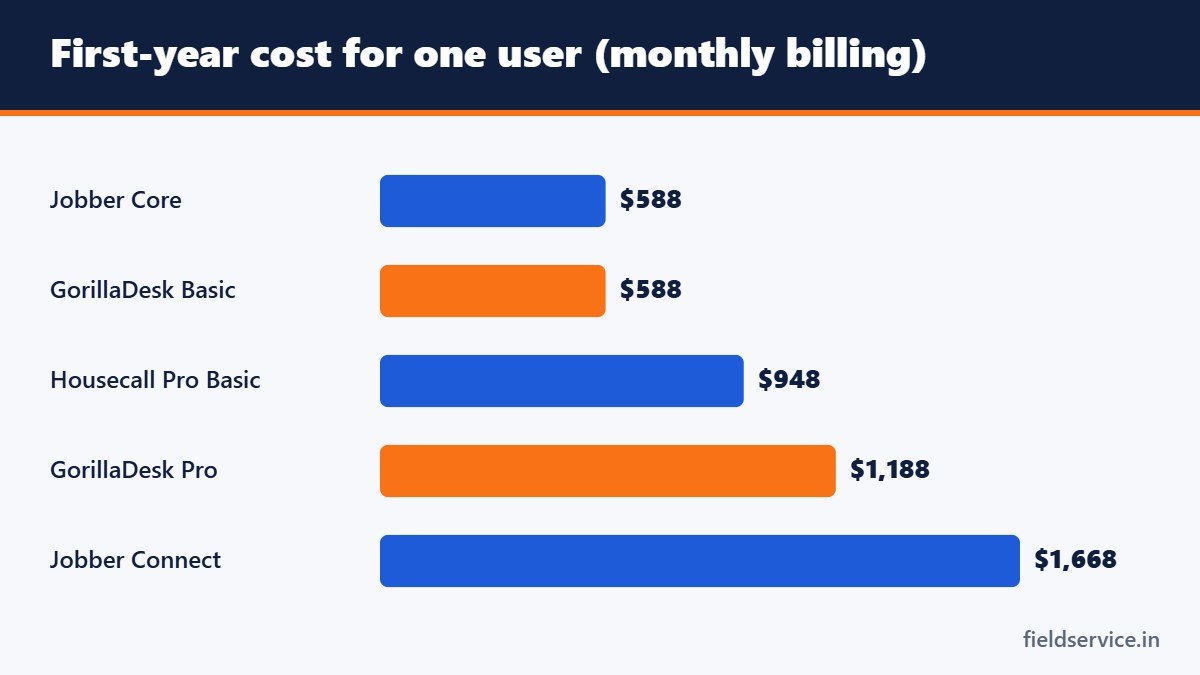
The first-year figure is the plan price only. Card processing fees, add-ons, text messaging and extra users come on top, and they can add more than the plan itself.
The alternatives, one by one
Housecall Pro
Housecall Pro publishes three plans. With monthly billing, Basic is $79 a month for one user, Essentials is $189 a month with five users included, and Max is $329 a month with eight users included. Annual billing lowers these to $59, $149 and $299 a month. Its pricing page states card processing starts at 2.59 percent and bank payments carry a 1 percent fee, and says no long-term contract is required.
It suits an owner who expects to add a technician or two soon, because Essentials includes five users for a set price. For a true one-person shop, compare Basic with Jobber Core line by line, since both are entry plans with fewer automations.
GorillaDesk
GorillaDesk prices by schedule, meaning one route, rather than by person. Basic is $49 a month and Pro is $99 a month for one schedule. Admin users and mobile devices are unlimited, and only people assigned to a schedule need a paid seat. It is built strongly around pest control, with chemical usage tracking and device tracking, so it fits route-based recurring work better than one-off repair calls.
Workiz
Workiz lists Standard, Pro and Ultimate plans but does not publish prices, so you will need a quote. It offers a 7-day free trial without a card. Its comparison table shows unlimited jobs, invoices, estimates and clients on every plan, with phone, answering and marketing features sold as add-ons.
A one-time-price plugin
If a monthly bill is the problem, a plugin that runs on your own website is a different model: you pay once and host it yourself. JobDock, our own product, works this way. It costs $129 once for one website, with no fee per technician, and you pay a hosting company separately. It is newer and smaller than the subscriptions above, it does not process cards itself, and on-the-way texts open in your own messaging app.
Staying on paper or a spreadsheet
For a shop running a handful of calls a week, a good paper system or spreadsheet can be enough. The costs are hidden: invoices that go out late, lost tickets and evenings spent on paperwork. Our spreadsheet vs software cost calculator puts a number on that time.
How to choose
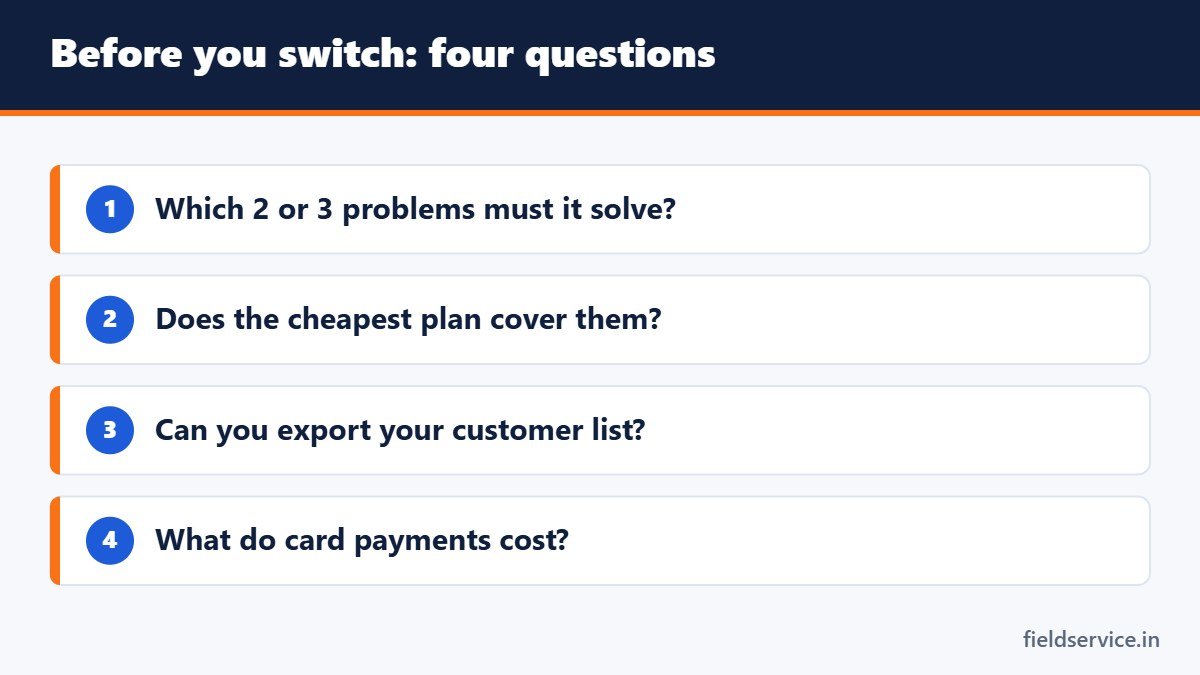
- Pick the two or three problems that cost you most and ignore everything else.
- Shortlist two products whose cheapest plan solves those problems without add-ons.
- Run each free trial with real jobs from last week, not demo data.
- Check that you can export customers, jobs and invoices to CSV if you leave.
- Ask for every cost in writing, including card fees and texting.
If you want to see whether software pays for itself at all, try the software payback calculator.
Running a small service business? JobDock, our own field service software, puts scheduling, dispatch, estimates and invoices on your own website for one price, with no fee per technician. Try the live demo.
Questions
What is the cheapest Jobber alternative?
On published monthly-billing prices for one user, GorillaDesk Basic matches Jobber Core at $49 a month, and Housecall Pro Basic is $79. A one-time-price plugin such as JobDock costs $129 once plus hosting. The cheapest choice depends on which features you need, because entry plans leave out many automations.
Is Jobber worth it for one person?
It can be, if its entry plan covers what you need. Many owner-operators find they want features from the higher Connect plan, which costs $139 a month with monthly billing. Price the plan you would actually use, not the entry plan.
Should I pay monthly or annually?
Annual billing is cheaper for vendors that offer it, but it is usually paid up front and some vendors state the first payment is non-refundable. Use the free trial first and pay monthly for a few months before committing.
Can I switch later without losing my customers?
Usually, if the product lets you export customers, jobs and invoices. Check this during the trial, before your data is in it.
Sources
Product names are trademarks of their owners. See field service software pricing compared for five-user prices.
Free Software Switching Kit: a selection scorecard in Excel and a six-week switching checklist.